





NetBlade for Windows is on the Microsoft Store
Published on October 14, 2026
At the end of September we wrote about the Windows edition of NetBlade while it was still being built. It is now published: NetBlade for Windows installs from the Microsoft Store, on Windows 10 and 11. It is made for people who look after 5 to 150 devices on their own: the IT consultant with several clients, the practice or office without an IT department.
A real inventory, with nothing to install
NetBlade finds every device on the network and, with the credentials you provide, reads Windows PCs, Linux servers and network equipment (WMI and WinRM, SMB, SNMP, SSH) without installing anything on them. Each network becomes a site, recognised by its gateway, which you name after the client: devices, history, credentials and reports stay separate. Name, type, tags, notes and custom fields are yours and no scan overwrites them; model, serial number, software and disks come from the machines themselves.
What to fix first
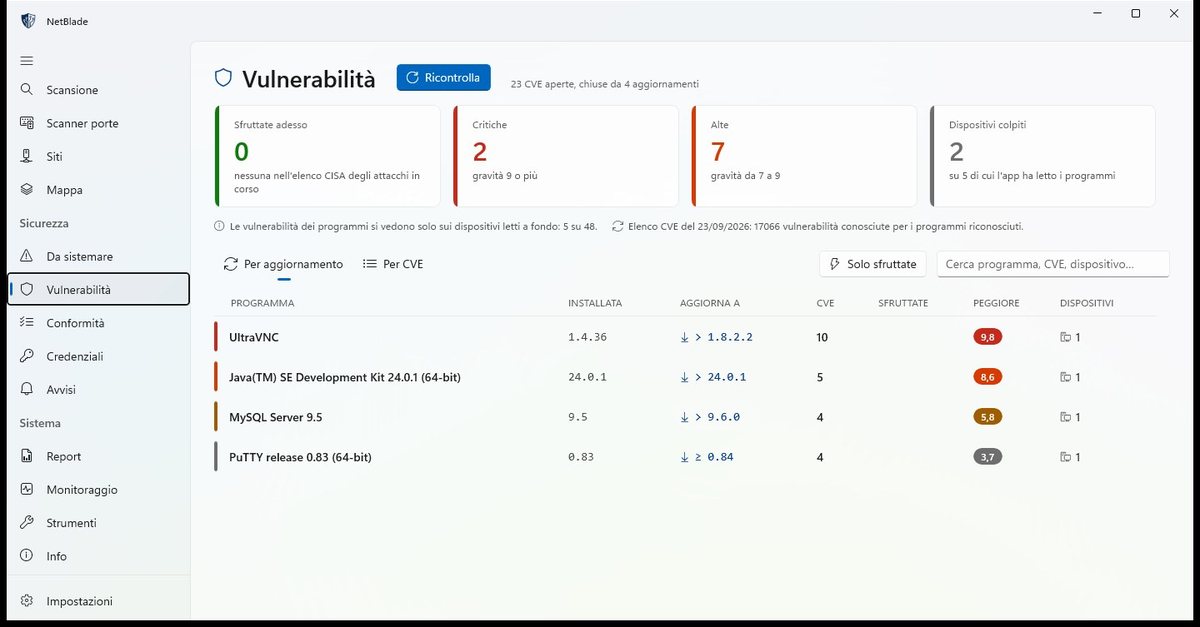
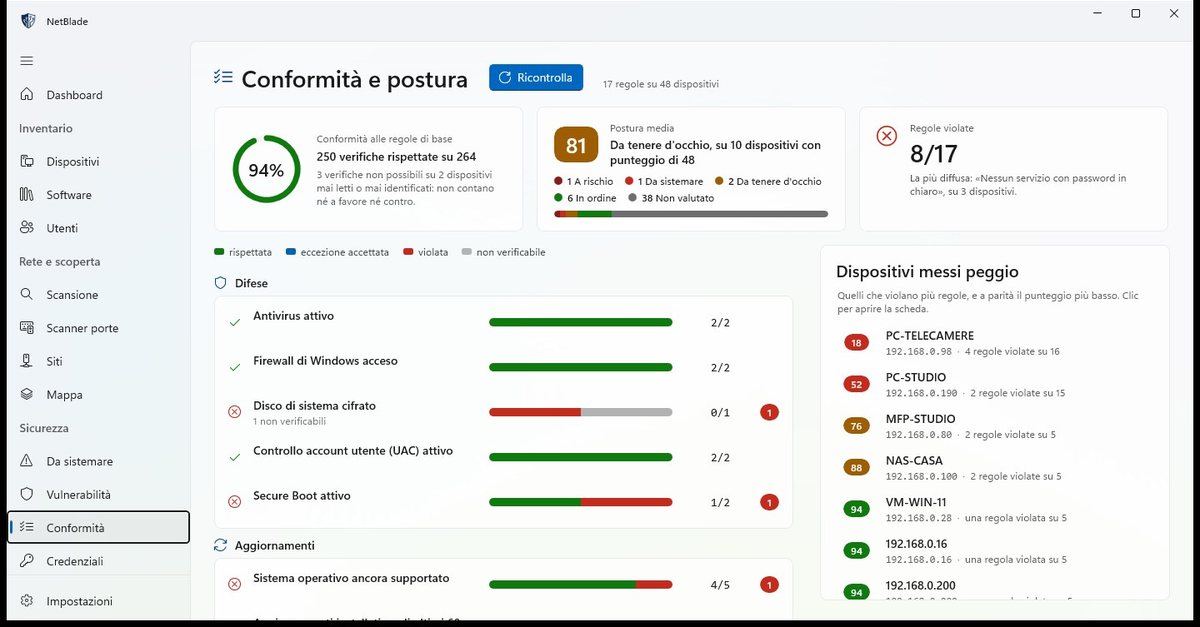
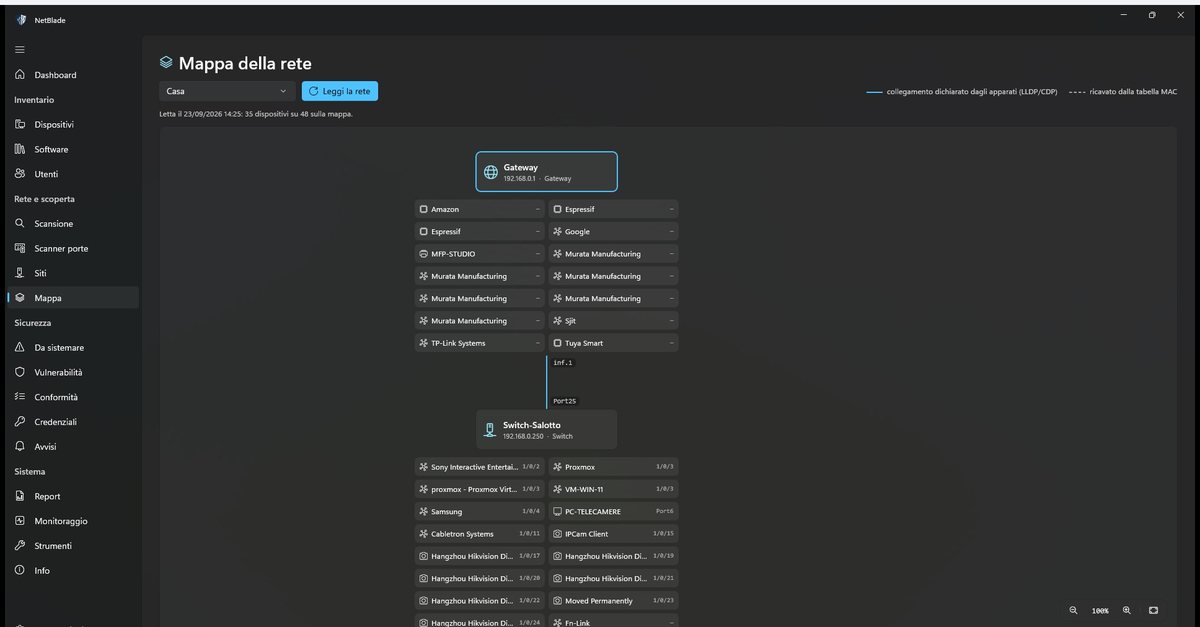
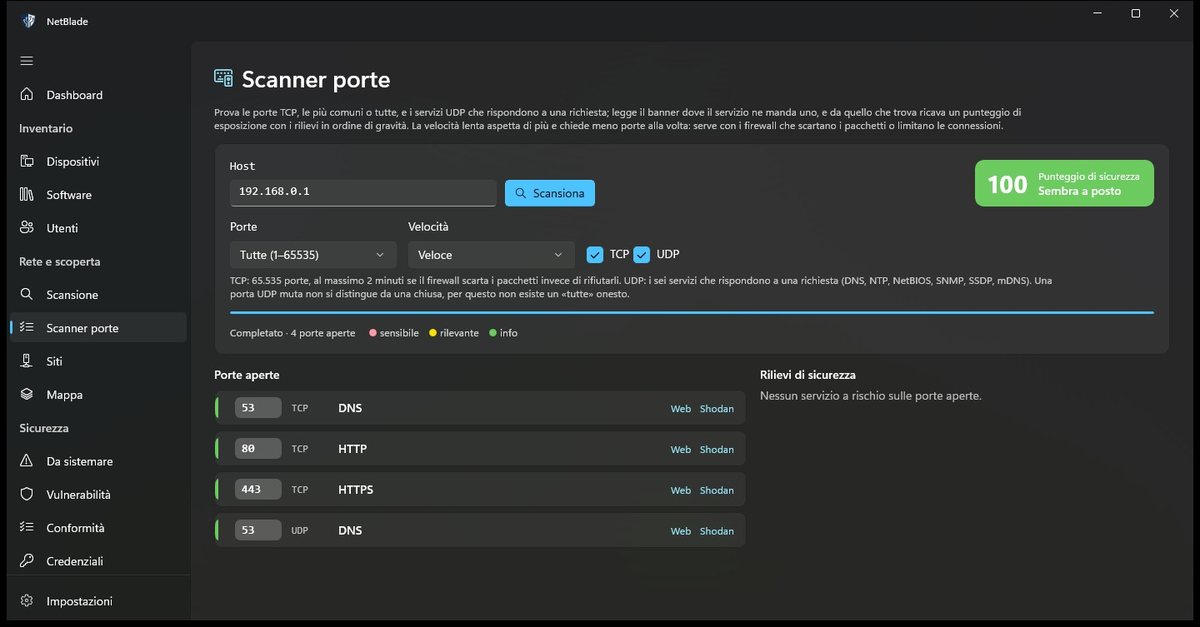
Known vulnerabilities in installed software are matched by exact version, and the by-update view shows which update closes the most of them. Seventeen compliance rules — antivirus, firewall, encrypted disk, Secure Boot, a supported OS, recent updates and more — check every device, with CIS Controls v8 IG1 as the reference. The map shows how the network is actually cabled, port by port, by asking switches and routers; the port scanner covers TCP and UDP and explains every risk.
Remote actions and reports to hand over
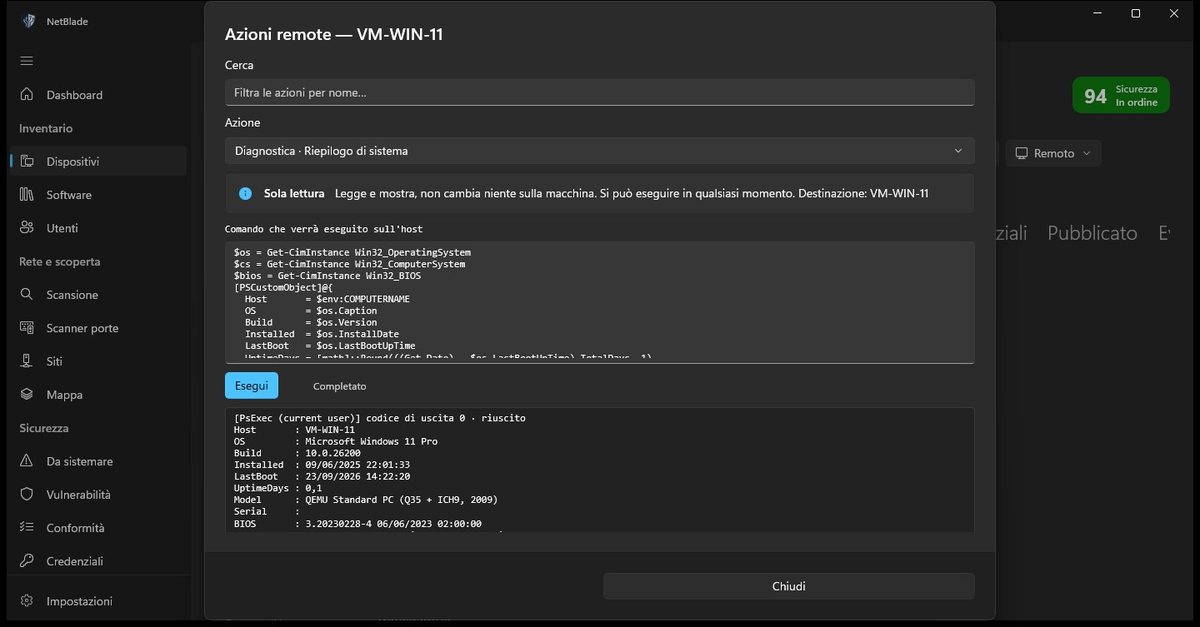
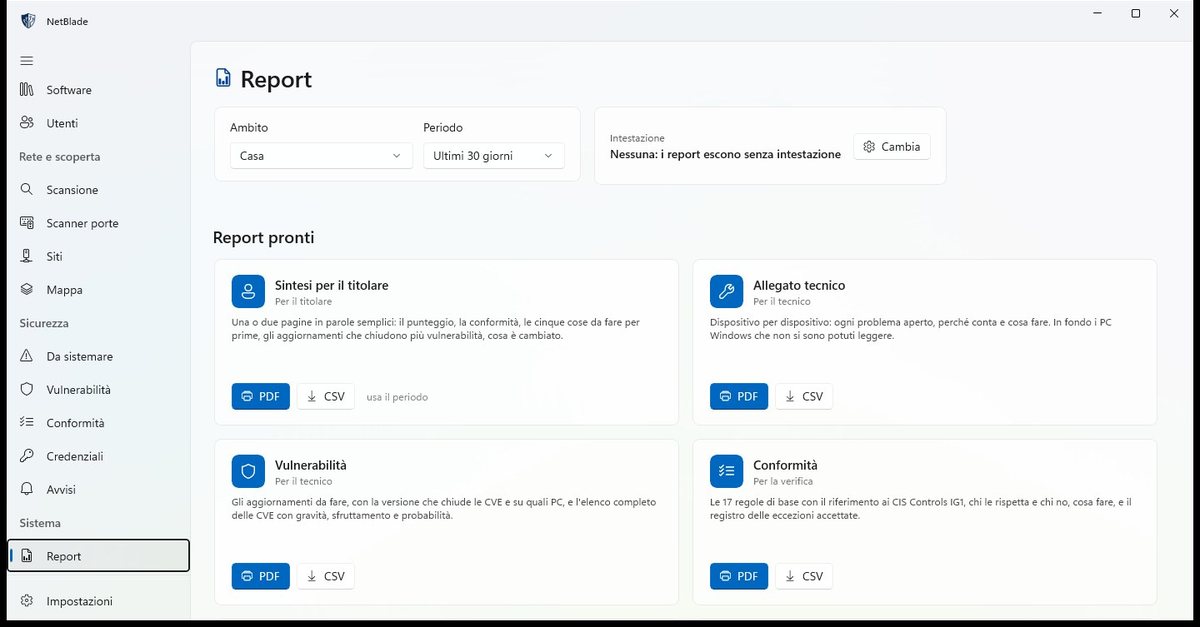
A catalogue of around 150 remote actions — diagnostics, network, firewall, services, software through winget, local accounts, Defender, BitLocker — shows the exact PowerShell script before it runs. Eight reports, in PDF and CSV, for one site or all of them: a plain-language summary for the owner, the technical appendix device by device, compliance and inventories for audits. With the window closed the agent stays in the notification area, checks whatever you ask it to watch and alerts you by notification, email or webhook.
Your data stays on your PC
There is no server of ours behind NetBlade for Windows. Scans and inventories live in a database in the app's private folder; passwords are encrypted with Windows data protection and can only be read by your account on that PC. The vulnerability list is downloaded once a day, signed, and the comparison with your software happens locally: nothing about your inventory leaves the PC. No ads, no tracking. The app is translated into 20 languages.
Free trial, then a subscription
You try everything free for 7 days, the first time, then choose a monthly or yearly subscription. Trial, payment, renewal and cancellation are all handled by the Microsoft Store: we never see payment details. If the subscription ends, the data you collected stays on the PC and comes back as soon as you renew. NetBlade for Android stays on Google Play, and the iPhone version is in review with Apple.
The app in pictures
Get it from the Microsoft Store
NetBlade for Windows runs on Windows 10 and 11 and installs from the Microsoft Store, with a 7-day free trial. All the features, guides and terms are on the NetBlade website.